MetaDefender Drive v4.4.9 expands In-Session Scanning with new capabilities to help organizations perform real-time device security posture checks. This release also extends the Centralized Scanning Profile protection to In-Session scan configurations and supports pre-approved file skipping to reduce unnecessary scan delays.
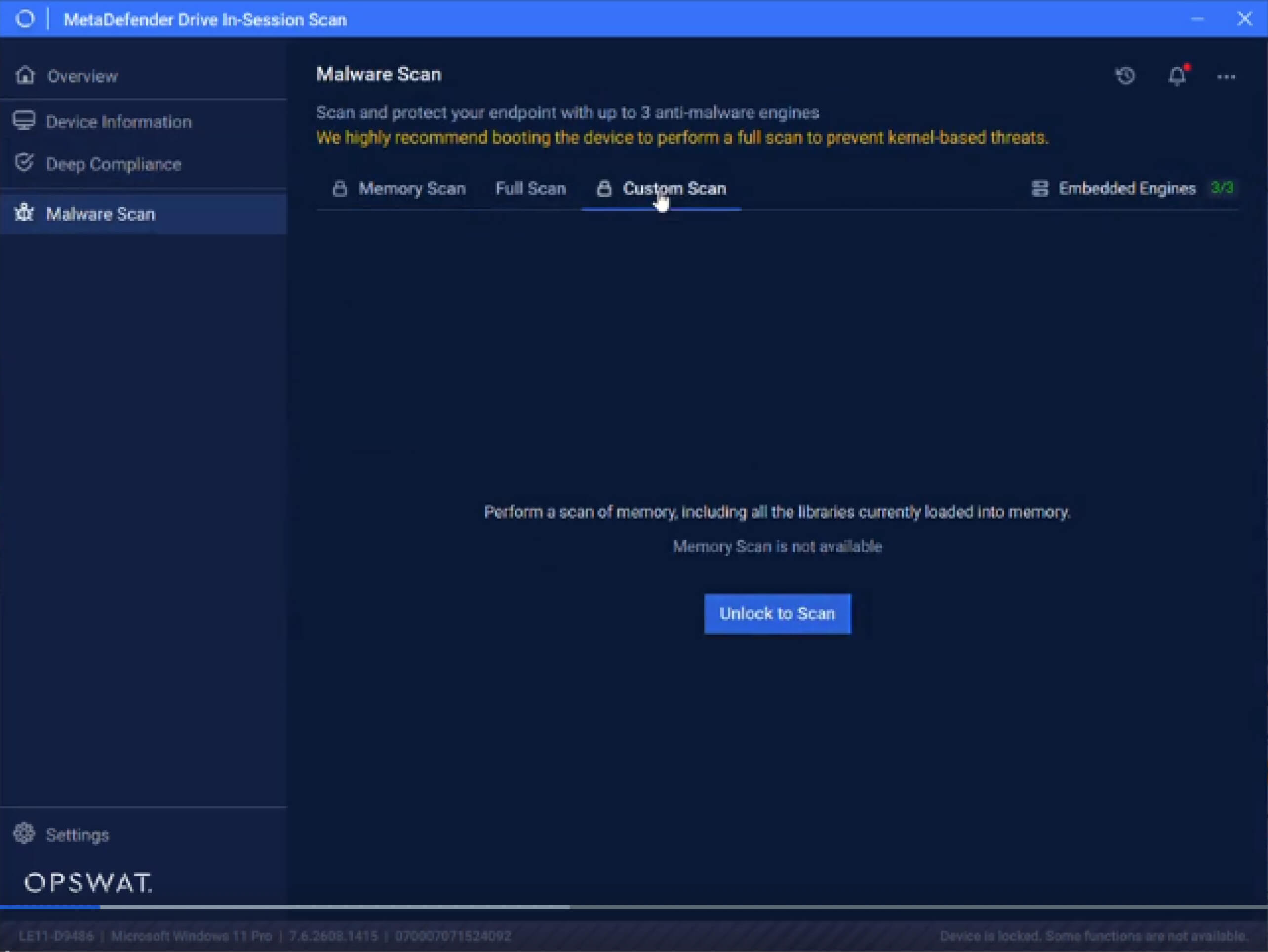
Perform Real-Time Device Posture Checks
Before allowing a device into a data center or OT environment, security teams need to determine whether it meets their security requirements. This is particularly important for contractor, visitor, or any third-party devices that may not be managed through the organization's existing endpoint infrastructure.
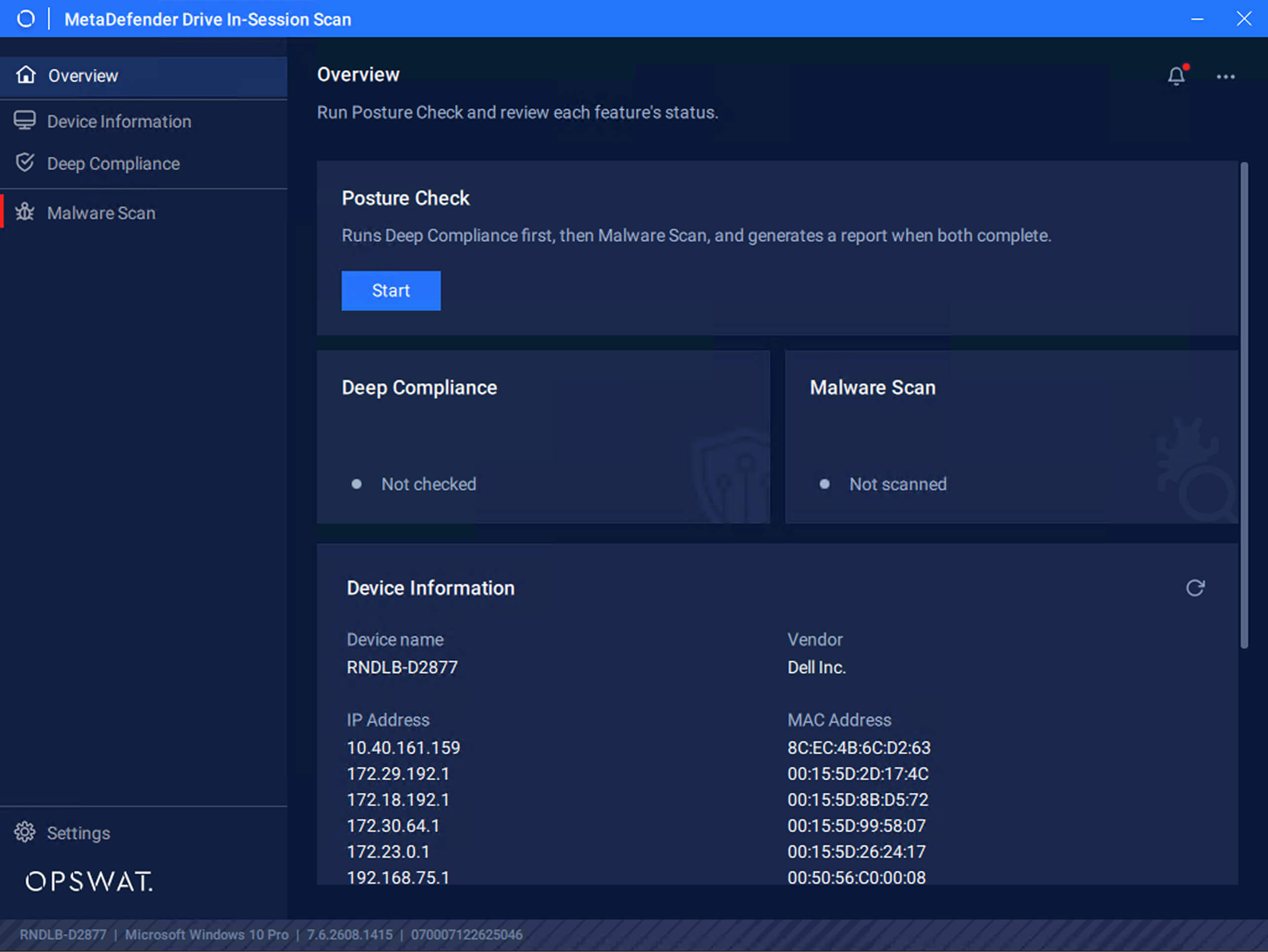
This release introduces Posture Check within In-Session Scanning, providing a single workflow to evaluate the device while its operating system remains operational. Posture Check runs Deep Compliance, followed by Malware Scan, and provides an overall report once both assessments are complete. MetaDefender Drive Operators can start the check and review device information from the In-Session Scan interface.
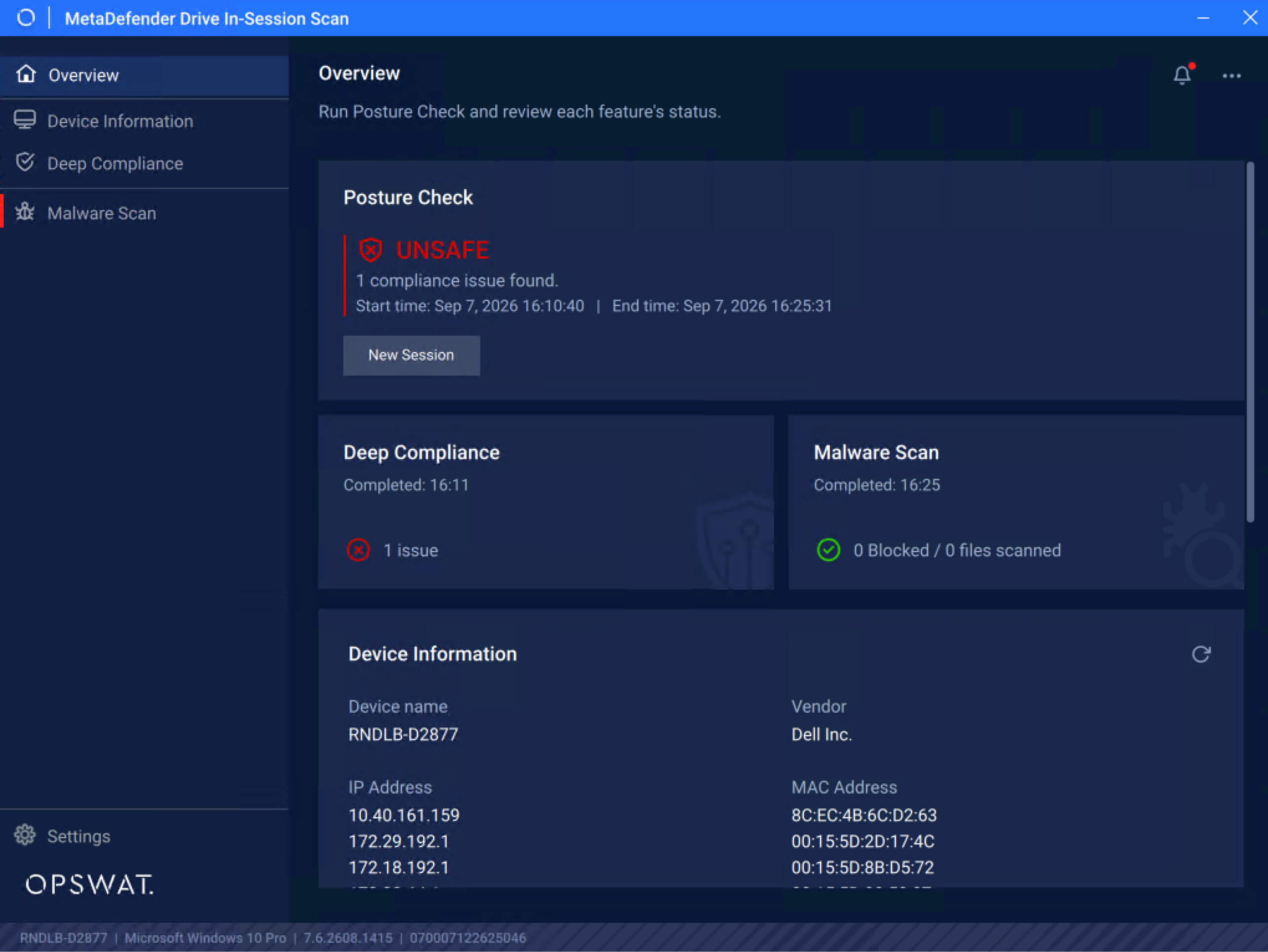
Once the Posture Check is complete, MetaDefender Drive provides a clear SAFE or UNSAFE result based on the assessment. Individual Deep Compliance and Malware Scan results are also made available to help understand the outcome details.
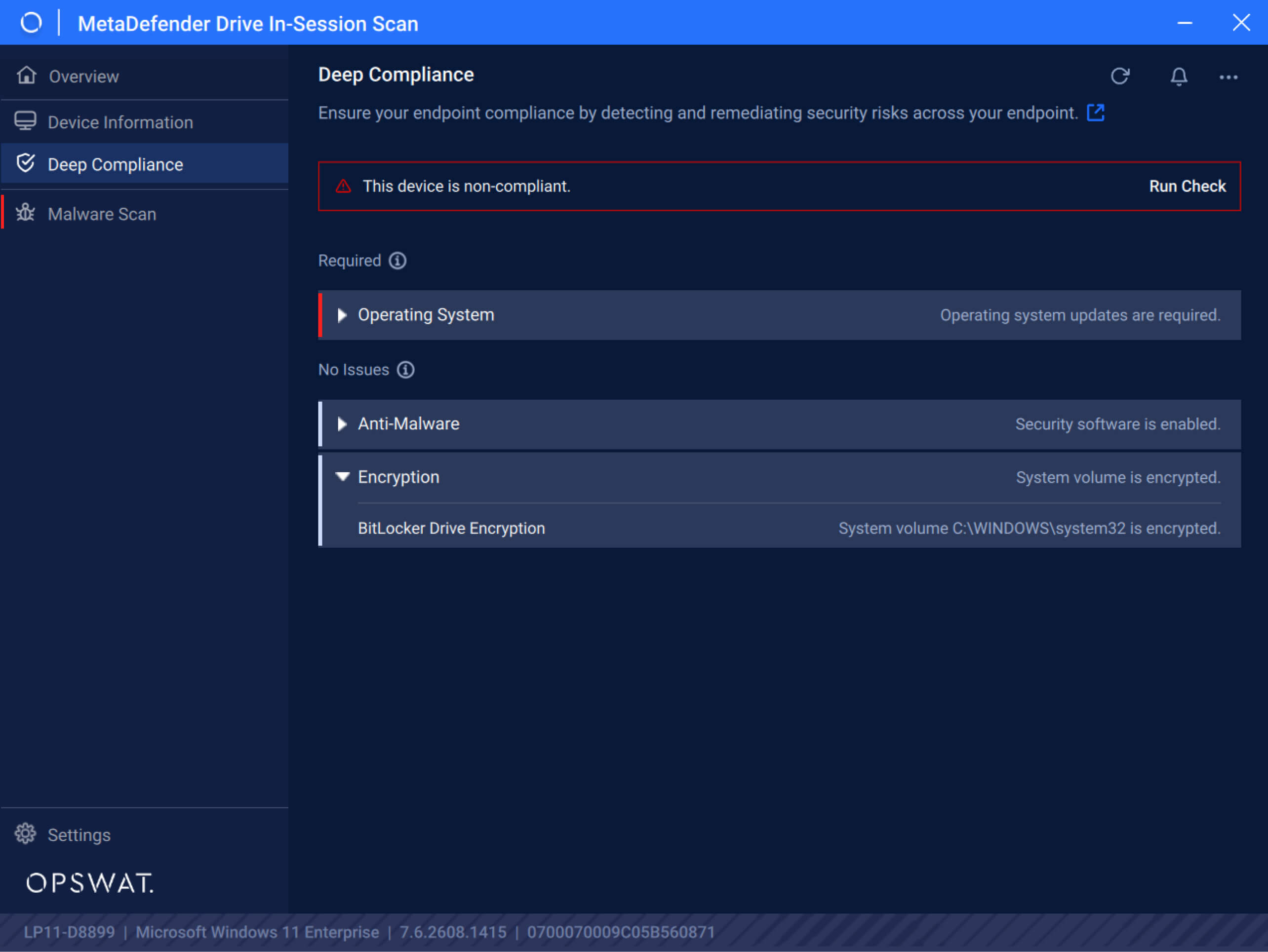
Deep Compliance provides security teams with additional visibility into endpoints’ security controls and configurations, helping identify compliance issues and assess the overall security posture. This visibility includes the operating system updates, anti-malware protection, and encryption status.
Lock Down In-Session Scan Configurations
MetaDefender Drive v4.4.9 extends Centralized Scanning Profile protection to In-Session Scanning, helping administrators prevent unauthorized changes to approved scan configurations.
Once a Centralized Scanning Profile is enabled and configured through MetaDefender Drive Toolkit, protected In-Session settings and scan configurations are locked. Operators can continue to access approved Full Scan, Device Inventory, and Posture Check capabilities while restricted configurations remain protected.
This addition helps organizations maintain consistent scanning policies across both pre-boot and In-Session workflows and reduces the risk of operators changing administrator-approved scan configurations.
Reduce Scan Delays with Pre-Approved File Skipping
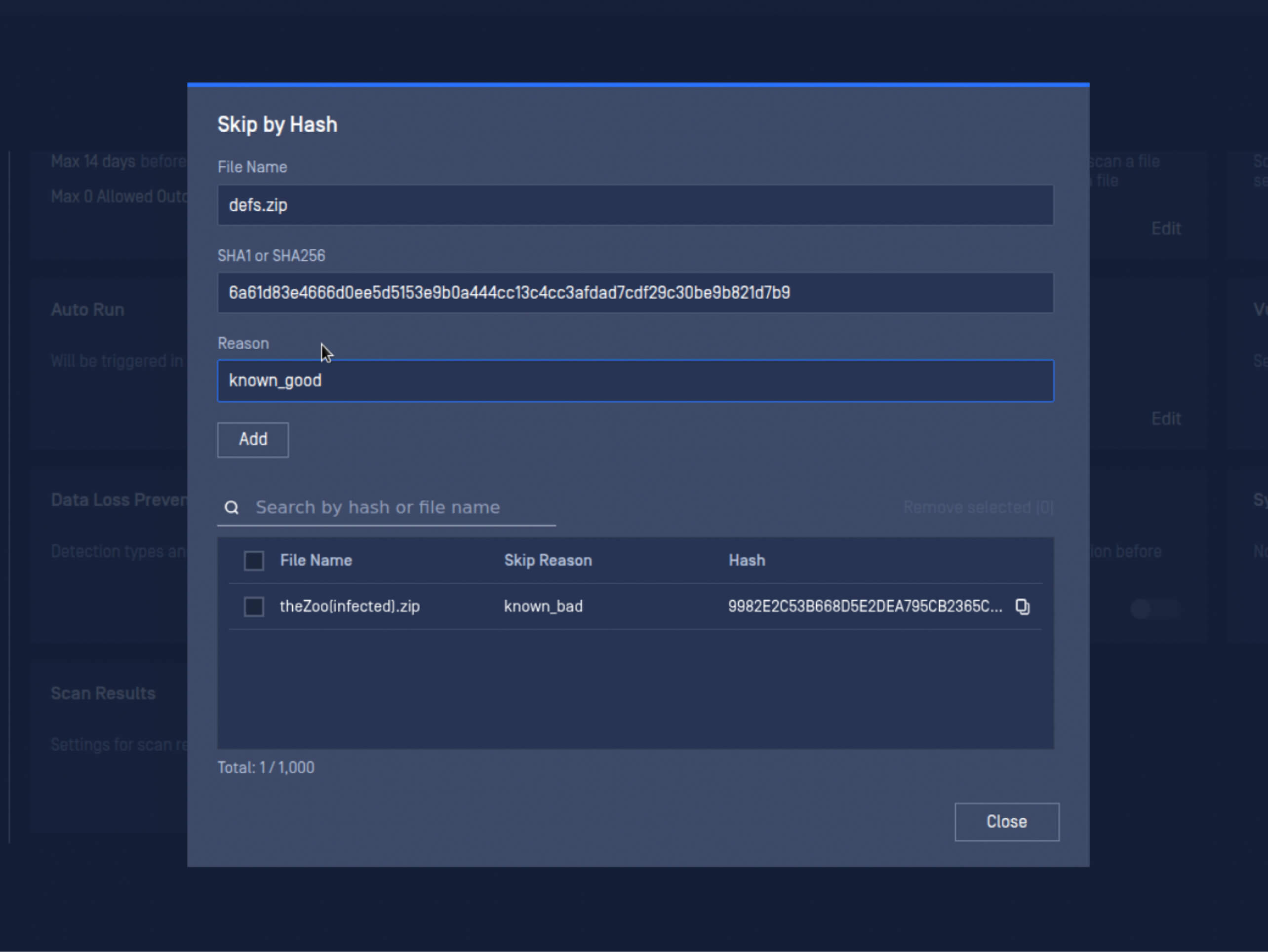
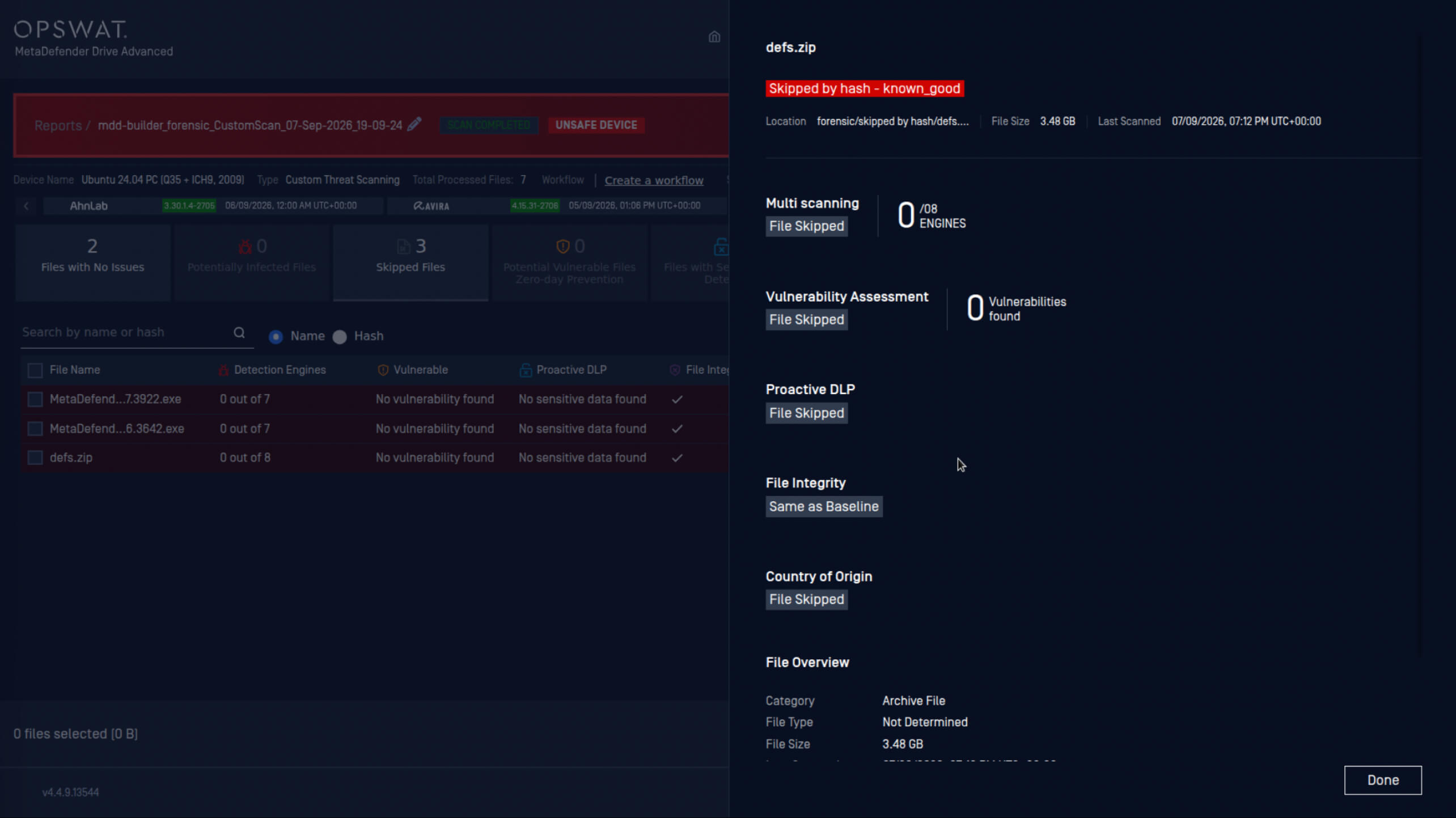
Certain files can significantly delay scan completion, slowing device checks and the access decisions that depend on them. With MetaDefender Drive v4.4.9, the Skip by Hash feature enables administrators to pre-approve skipping files during scans. Defining skip settings in advance, rather than during scans, significantly helps complete scans faster while maintaining control and auditability.
How to Set Up Skip by Hash
Skip by Hash can be configured directly on MetaDefender Drive or remotely through My OPSWAT™ Central Management for enrolled MetaDefender Drive devices. Both methods include the same configuration settings.
To access Skip by Hash:
- On MetaDefender Drive: Go to Preferences, under the Settings menu, then click Skip by Hash.
- On My OPSWAT Central Management: Open an enrolled MetaDefender Drive device, then go to Preferences > Skip by Hash.
To adjust the Skip by Hash settings:
- Click Edit Settings, then click Add.
- Enter the File name, the file's SHA1 or SHA256 hash, and a Reason for skipping the file.
- Click Save.
Yayın Detayları
Ürün: MetaDefender Drive
Release Date: September 3, 2026
Sürüm Notları: Daha fazla bilgi edinin buradan
MetaDefender ’i güncellemek içinDrive adresine gidin ve MetaDefender Drive Toolkit'in 'in en son sürümünü indirin ve kurulum talimatlarını izleyin.